
Download StorURL – bookmark manager, web browser tool, organize links, save favorites, digital bookmarking
Overview
StorURL is a productivity-focused tool designed to simplify the management of digital bookmarks across multiple web browsers. Targeted at users who frequently switch between Chrome, Firefox, Opera, and Edge, the application offers a centralized solution for organizing and accessing saved links. By consolidating bookmarks into a single, accessible location on the user’s computer, StorURL reduces the friction associated with managing favorites across different browser environments. This is particularly beneficial for professionals, researchers, students, and content curators who rely on consistent access to a curated set of online resources.
The app’s primary function is to streamline the process of importing, organizing, and retrieving bookmarks, ensuring that users can quickly locate essential web pages without navigating through multiple browser profiles. Its development by StorURL reflects a clear focus on user efficiency and digital workflow optimization. Although the developer did not provide additional technical details, the app’s release date of May 13, 2022, indicates a mature product with a stable foundation. Real-world use cases include academic research, content creation, and daily task management, where quick access to saved links significantly enhances productivity. In the broader app ecosystem, StorURL fills a niche for lightweight, browser-agnostic bookmark utilities that prioritize simplicity and cross-browser compatibility.
Key Features & Functionality
- Easy Bookmark Import: StorURL enables users to import bookmarks from Chrome, Firefox, Opera, and Edge with a single click. The tool preserves existing folder hierarchies, ensuring that organizational structure remains intact during migration.
- Automatic Information Filling: When adding new bookmarks, the app auto-populates the site name and description based on the URL, reducing manual input and minimizing errors.
- Floating Toolbar Access: A customizable floating toolbar allows users to pin frequently used links to any screen location. This feature supports quick access and enables opening links in different browsers with minimal effort.
- Centralized Bookmark Management: All bookmarks are stored in a unified location on the user’s computer, eliminating browser-specific silos and simplifying cross-browser access.
- User-Friendly Interface: The app features a clean, intuitive layout that is accessible to both novice and experienced users, minimizing the learning curve and enhancing usability.
For example, a researcher managing dozens of reference links across multiple browsers can import all bookmarks in one session, organize them into thematic folders, and access them instantly via the floating toolbar. Similarly, a student preparing for exams can consolidate lecture links, study guides, and reference materials into a single repository, ensuring consistent access regardless of the browser used.
Interface, UX & Performance
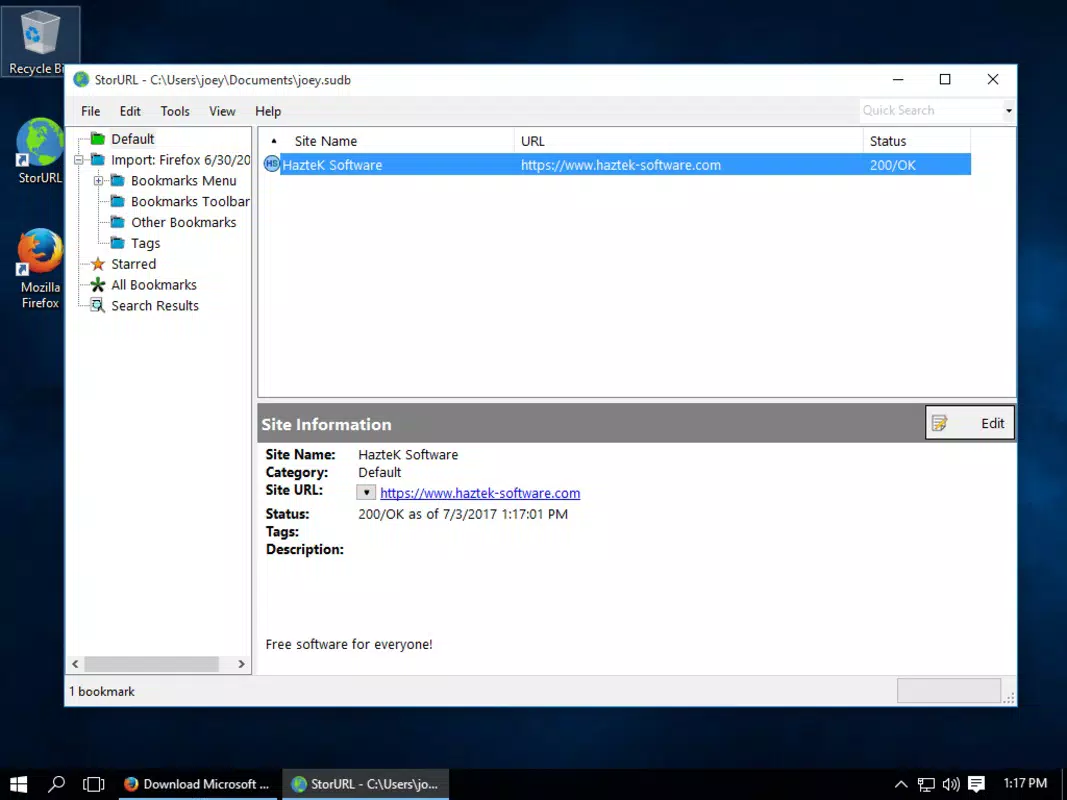
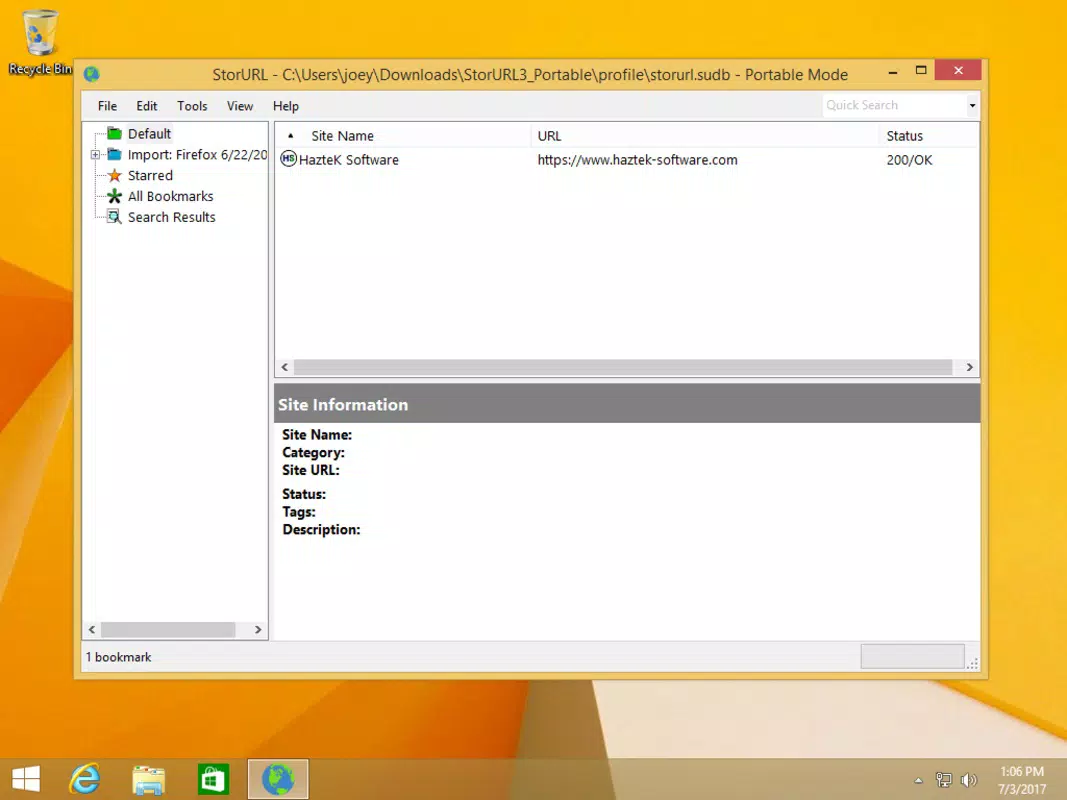
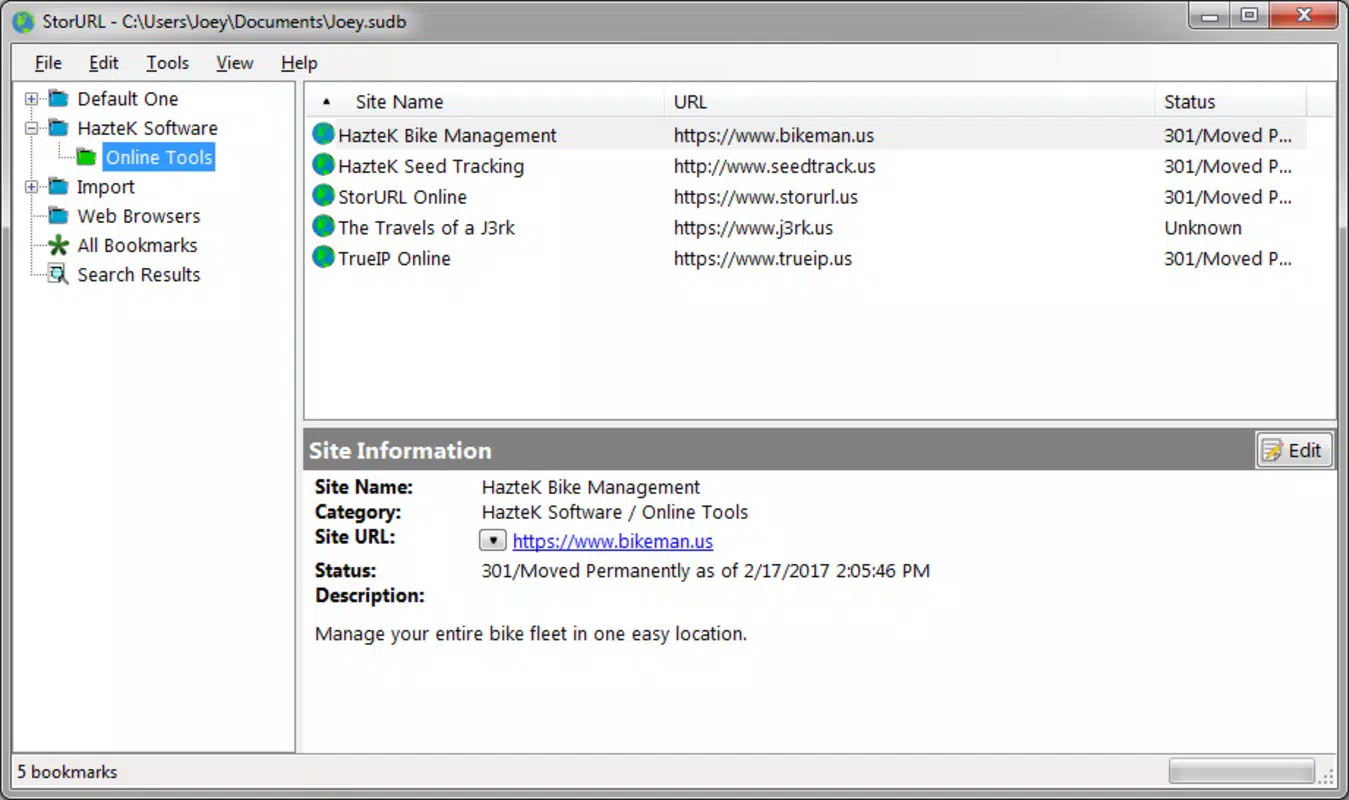
StorURL presents a minimalistic and functional user interface, emphasizing clarity and ease of navigation. The layout is organized around a central dashboard that displays all saved bookmarks in a hierarchical folder structure, allowing users to browse, search, and manage links efficiently. Visual cues such as icons and color-coded folders enhance readability, while the overall design avoids clutter, maintaining focus on core functionality.
Navigational flow is straightforward: users can import bookmarks, create new folders, edit existing entries, and access links through either the main window or the floating toolbar. The app responds promptly to user inputs, with no noticeable lag during navigation or import processes. Although the developer did not list formal performance metrics, the application’s lightweight file size of 25.7 MB suggests optimized resource usage, which contributes to smooth operation on a variety of Windows systems.
Stability appears consistent across device categories, with no reported issues related to crashes or freezes. Responsiveness is maintained even when managing large bookmark libraries, indicating effective memory management. The app runs efficiently in the background without consuming excessive system resources, making it suitable for long-term use in daily workflows.
Platform Compatibility & Technical Requirements
StorURL is designed exclusively for the Windows operating system. The current version, 1.0.1, is compatible with modern Windows environments, though specific OS version requirements were not listed by the developer. The application has a file size of 25.7 MB, which is relatively small, indicating a lean and efficient design. This compact footprint supports fast installation and minimal storage impact.
Although the developer did not specify minimum OS requirements or hardware specifications, the app’s lightweight nature suggests broad compatibility with most Windows devices, including laptops, desktops, and tablets. No additional dependencies or background services are required for basic functionality. Users should ensure their system meets standard Windows installation criteria to run the application without issues.
Pros and Cons
Pros
- Effortless import of bookmarks from multiple browsers with preserved folder structure.
- Automatic metadata filling reduces manual data entry and enhances accuracy.
- Floating toolbar provides customizable, instant access to frequently used links.
- Centralized storage eliminates browser-specific bookmark silos.
- Lightweight design with minimal system resource usage.
Cons
- Platform availability is limited to Windows; no support for macOS or mobile devices was confirmed.
- Specific system requirements were not disclosed by the developer.
- Advanced customization options for the floating toolbar were not detailed.
- No cloud sync or cross-device backup functionality was mentioned.
- Interface lacks dark mode or high-contrast themes, which may affect accessibility for some users.
FAQ
Is StorURL available for macOS or mobile devices?
As of now, the developer has only released StorURL for Windows. No official versions for macOS or mobile platforms have been announced.
Can I sync my bookmarks across multiple computers?
The developer did not disclose any cloud-based sync or backup features. Bookmarks are stored locally on the user’s computer.
Is StorURL free to use?
Yes, StorURL is available at no cost. There are no in-app purchases or subscription tiers currently offered.
How do I import bookmarks from my browser?
Simply launch StorURL and select the browser from which you wish to import bookmarks. The app will automatically detect and import the data with folder structures preserved.
Is my data secure when using StorURL?
Since StorURL stores bookmarks locally on the user’s device and does not transmit data to external servers, it minimizes privacy risks. However, users are advised to maintain regular backups of their bookmark files.
Final Thoughts
StorURL stands out as a focused, efficient solution for users seeking to unify their bookmark management across multiple browsers. Its ability to import data seamlessly, auto-fill metadata, and provide quick access via a floating toolbar makes it a valuable addition to any productivity toolkit. While its exclusive Windows support and lack of cloud sync may limit its appeal for some, its lightweight design and free access ensure broad accessibility.
For researchers, students, and professionals who rely on consistent access to curated web resources, StorURL delivers tangible value by reducing digital clutter and streamlining workflow. Its intuitive interface and reliable performance make it a trustworthy choice for daily use. If you’re looking to organize your online favorites in one central, easy-to-access location, this app is a smart, secure, and practical option.
Download StorURL now


